


OnPhone: Second Number & eSIM
4.41.22K Reviews
App Specs
- Version
- 1.1.43
- Updated On
- License
- Free
- Downloads
- 1,000,000+
- Developer
- Anyday Apps
- Categories
- Business
- Platform
- Android, iOS
Screenshots
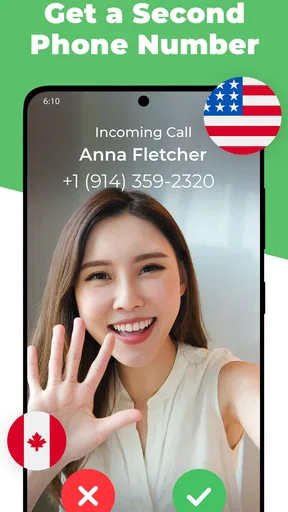
 Analysis by AppCompare
I find a second number most useful when it creates a clear boundary, not simply when it adds another inbox. That is the practical idea behind OnPhone - Second Phone Number: a business app from Anyday Apps for keeping calls and texts on a separate line without carrying another phone. It is free to install, but I would treat that as a chance to explore rather than a promise that every useful option costs nothing. The app includes in-app purchases, so it is worth checking the price shown for any option you intend to use before building a routine around it.
What “free” does and doesn’t settle
OnPhone is listed as free, while its in-app purchase prices range from $2.99 to $299.99 per item. That is a broad range, so I would not assume that a particular number, calling arrangement, or length of access is included without charge. The sensible approach is to install it, inspect the choices presented in the app, and decide whether the option that fits your needs is worth its displayed cost. A free download is a low-commitment way to investigate; it is not enough on its own to judge the ongoing value.
I also wouldn’t compare the highest purchase price with a conventional phone bill as though they were automatically equivalent. The useful comparison depends on what you need, how often you use the line, and which purchase option you select. If you only need a separate contact point for a short project, your calculation may look very different from someone who wants a dependable work number every day. Check the in-app price and terms before relying on a number for anything time-sensitive.
Where a second line earns its place
The strongest case for an app like this is separation. Giving clients or customers a work number can help keep your personal number out of routine business conversations, while a dedicated line makes it easier to recognize why somebody is calling. That does not automatically create a full business phone system, but it can make a one-person operation feel more organized without carrying a second handset.
I can also see the appeal for a marketplace seller, a freelancer taking inquiries, or someone coordinating a temporary event. Instead of posting a personal number on a public listing or sharing it across a project, you can use a separate line for that purpose. The practical benefit is not only privacy: it is being able to sort contacts and conversations according to the reason you shared the number in the first place.
For a realistic example, imagine a freelance designer who is expecting calls from a new client while also trying to keep evenings free. A separate work line gives those calls and messages their own destination, and call forwarding may help route calls to the phone already in hand. The designer still needs to decide when to answer and how to manage follow-ups, but the second number makes it easier to keep that work stream distinct from personal conversations.
Questions worth answering before you depend on it
Will it replace your main mobile number? I would treat it as an additional line rather than a complete substitute for the number used by family, established contacts, or essential services. Whether it suits a particular call or text workflow depends on the options available in the app and the other person’s needs. Keep your primary line available for communications that you cannot afford to disrupt.
Worth Reading Before You Choose

EA SPORTS FC Mobile 26 Is a Bigger Football Game, but It Takes Time

Flipboard Shows What News Apps Must Do Beyond the Feed

Switching to Android Auto Means Rethinking Your Driving Routine

Google Calendar Makes a Crowded Week Easier to Manage

Ludo King Makes the Most of the Minutes Between Plans

Baby Panda World Brings Quick Play to Modern Phones, but Its Game Library Feels Busy
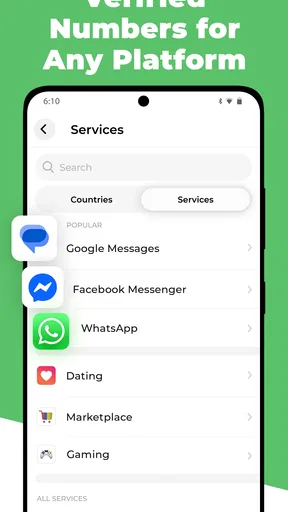
Is it a good choice for verification codes? The app’s positioning includes verification, but that is not a guarantee that every service will accept a number from a second-number app. Services vary, and a code can be refused or delayed. If you need reliable access to an account, use the verification method that service recommends and avoid making a new number your only recovery route until you know it works for that account.
What should you test first? I’d try the complete path you care about: place or receive a call, send a message, check voicemail, and confirm that forwarding behaves as expected for your use. If you need multimedia messages, test that with the people you actually communicate with. Doing this before sharing the number widely can reveal a mismatch while changing course is still easy.
Getting Started with OnPhone
When I first downloaded OnPhone - Second Phone Number, I was pleasantly surprised by how straightforward it was to set up. Just a few taps, and I was ready to go. The app offers a clean and intuitive interface, which makes navigation a breeze—even for those who might not be the most tech-savvy.
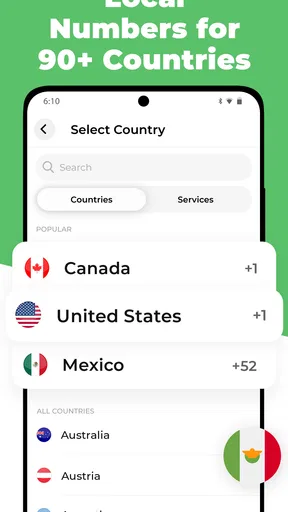
Once you open the app, you're greeted with options to choose your new number. The selection process is pretty smooth, allowing you to pick from a list of available numbers. You can even select numbers based on area codes, which is great if you're looking to maintain a local presence somewhere.
Features that Make Life Easier
One of the standout features of OnPhone is the ability to separate your personal and professional life. I've been using it to manage work calls, and it’s been a game-changer. No more awkward moments when a business call comes through during dinner!
The app also offers features like call forwarding, voicemail, and text messaging. I found the call forwarding particularly useful, as it ensures I never miss an important call. Plus, the voicemail feature is easy to set up and customize. It's like having a mini assistant right in your pocket.
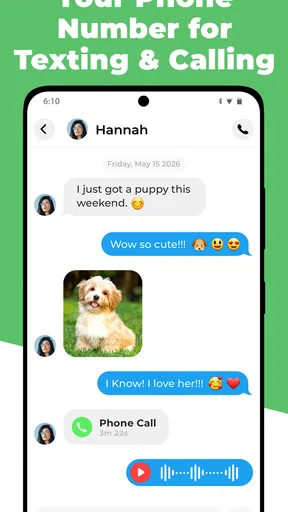
Text messaging is seamless, and I love that I can send texts from my second number without any confusion. The app supports multimedia messages too, which is a nice touch.
The Little Things Matter
Let's talk about usability. The app runs smoothly, with no noticeable lags or crashes during my time using it. It’s lightweight, which means it doesn’t hog your phone's resources. I appreciate that because my phone is already juggling a million apps as it is.
Another thing I noticed is the app’s focus on privacy. Your data is encrypted, and the app doesn’t share your information with third parties. In today’s world, having that kind of security is a huge plus.
Trade-offs and fit
With a second-number app, the main convenience is keeping one device while separating another line; the trade-off is depending on an app and its available service options instead of simply using a second SIM or a separate handset. A second SIM may suit someone who wants the line managed directly through their mobile service, while a full business phone system is a better fit for teams that need shared call handling. OnPhone is most appealing when the need is personal-scale and the separate number itself is the point.
I would skip it if you need a guaranteed channel for emergency contact, account recovery, or business-critical calls before testing the exact workflow. It may also be unnecessary if your carrier already gives you a second line that fits your needs, or if you rarely need to keep personal and work communications apart. Choosing the simplest setup you will actually maintain is better than adding another inbox for its own sake.
A helpful habit is to decide in advance what the second line is for and share it only in that context. For example, use it for new client inquiries, then keep existing personal contacts on your regular number. This makes the separation meaningful and helps you recognize which conversations can wait until work hours. It also avoids the common trap of giving out both numbers indiscriminately and recreating the same boundary problem in two places.
OnPhone is rated 4.5 on average, with around 39,000 ratings and about 1,000 reviews, and it has been installed over a million times. It is free to download, is rated for Everyone, and was released on August 2, 2021. The current version is 1.1.33, and it requires Android 7.0 or later. Those details make it easy to judge basic compatibility and adoption, but they do not replace checking whether the particular number and purchase option suit your use.
Is OnPhone Worth It?
After spending some time with OnPhone, I genuinely think it's worth considering if you need a second line. It’s a flexible and cost-effective solution, especially compared to traditional phone lines. Whether you’re managing a small business, freelancing, or just want to keep your personal number private, this app could be a perfect fit.
While there are similar apps out there, OnPhone stands out with its user-friendly design and reliable performance. It’s an app that does what it promises, without any unnecessary frills.
To wrap it up, if you've been on the fence about getting a second number, give OnPhone a try. It's convenient, secure, and just might be the solution you've been searching for.
Pros
- Easy setup and intuitive interface.
- Affordable pricing plans available.
- Multiple numbers on one device.
- Customizable voicemail greetings.
- Supports international calls and texts.
Cons
- Limited customer support options.
- App can occasionally freeze.
- Some features require premium.
- Ads present in the free version.
- No call recording feature.
FAQs for OnPhone: Second Number & eSIM
What is OnPhone and how does it work?
OnPhone is an app that provides users with a second phone number for their mobile device. This can be useful for separating work and personal calls or for maintaining privacy. The app allows you to make and receive calls and texts just like your primary number, offering a seamless experience without the need for an additional SIM card.
Is OnPhone available for both Android and iOS devices?
Yes, OnPhone is available for download on both Android and iOS platforms. You can find it on the Google Play Store for Android devices and the Apple App Store for iOS devices. Ensure your device meets the app's compatibility requirements before downloading to avoid any issues.
Does OnPhone offer international calling and texting?
OnPhone supports international calling and texting, allowing users to connect with contacts worldwide. However, rates may vary depending on the destination and your subscription plan. It's advisable to check the app’s pricing details for international communication to understand any additional costs involved.
Is my data secure when using OnPhone?
OnPhone prioritizes user privacy and security by employing encryption to protect your calls and messages. The app ensures that your data remains confidential and is not shared with third parties without your consent. Always review the app’s privacy policy to understand how your information is handled.
What subscription plans are available with OnPhone?
OnPhone offers various subscription plans to accommodate different usage needs, including monthly and annual options. These plans typically include a set number of minutes and texts, with the option to purchase additional credits as needed. Review the available plans to choose one that best fits your requirements.


